xScale 360 · Enterprise data-centre operations

Turning fragmented data-centre operations into an exception-driven workflow.

A product system for IBX Operations Leads to understand what is happening, identify what matters, and act without navigating across fragmented operational systems.
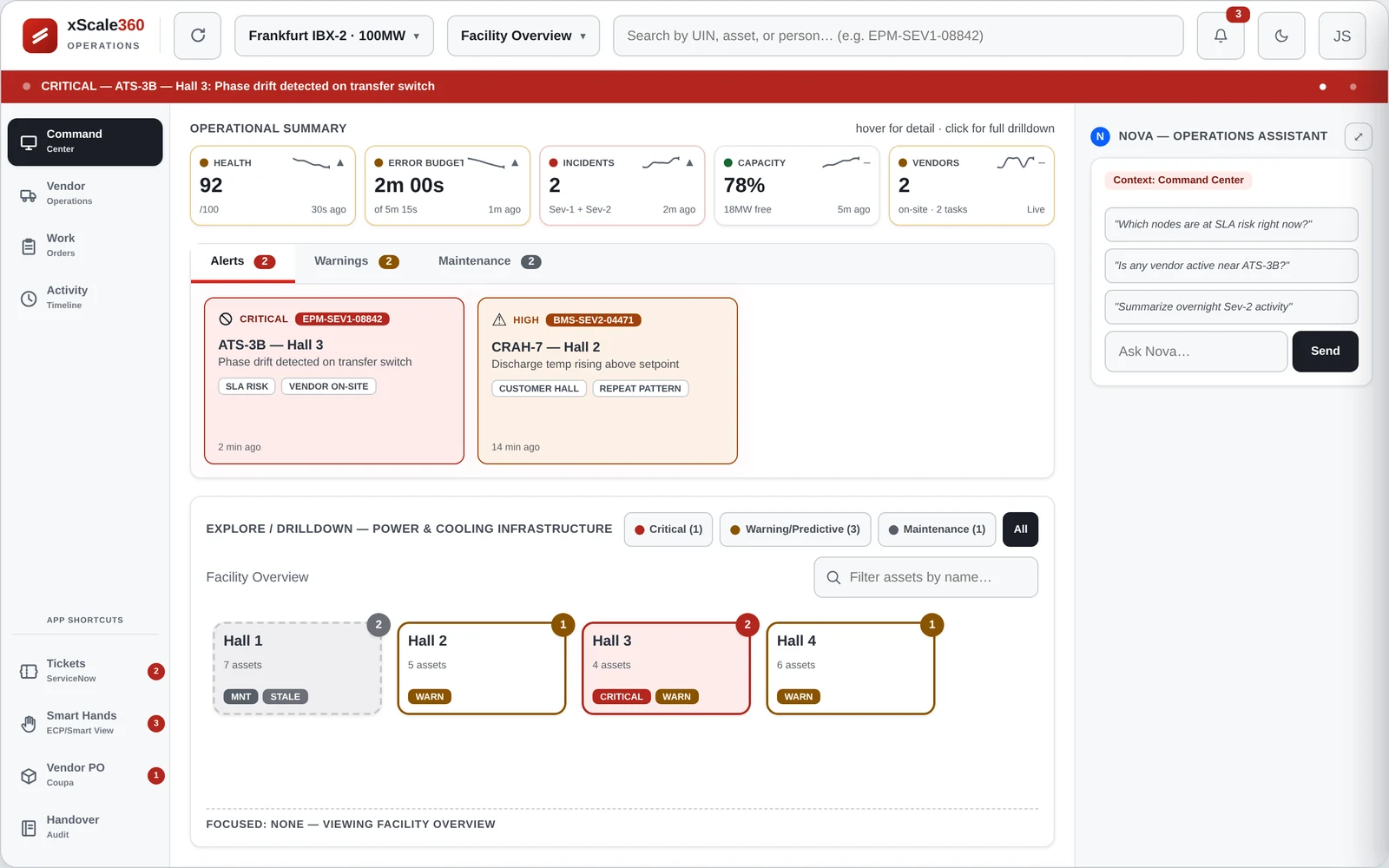
xScale 360 product visual
Hero view · 1280 × 800 · 16:10
Role
Product Designer / UX Designer
Domain
Enterprise Data-Centre Operations
Timeline
2 days
Status
Concept · Rapid Prototype

01  ·  Context

The problem wasn't a lack of data. It was the cost of connecting it.

IBX Operations Leads worked across multiple operational systems to understand the state of physical data-centre infrastructure. Information was available, but fragmented across tools, alerts and operational workflows.

Operational systems
Alarms
Infrastructure data
Work orders
Operational signals
Operations lead

The Operations Lead doesn't think in systems. They think in operational state.

The user doesn't think in terms of individual systems. They think in terms of operational state, exceptions, impact and action.

What is happening?

What changed?

Why does it matter?

What should I do?

The interface needed to answer these questions in sequence, rather than expose the complexity of the systems underneath.

The operational challenge was not finding more data. It was connecting signals, context and impact quickly enough to decide what needed attention.

02  ·  The product model

The product model followed the operator's mental model.

Instead of exposing the structure of the underlying systems, xScale 360 organised information around the decisions the Operations Lead needed to make.

Operational state
Signals
Exceptions
Context
Action

Instead of organising the interface around the systems generating the data, I organised it around the decisions the Operations Lead needed to make.

The product became an abstraction layer between fragmented systems and operational decisions.

The process was about reducing the distance between signal and decision.

Understand → model → structure → prioritise → validate

Each step reduced the gap between fragmented operational information and the decision the Operations Lead needed to make.

Three decisions shaped the experience.

01  ·  Exception-first

Exception first

Surface what changed before asking the operator to scan the system.

The Operations Lead should not have to search a healthy system to find the unhealthy part.

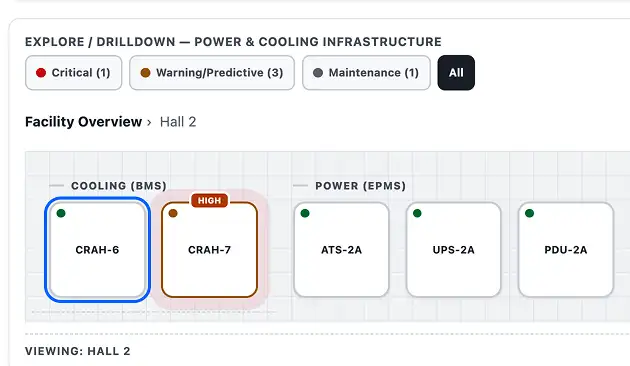
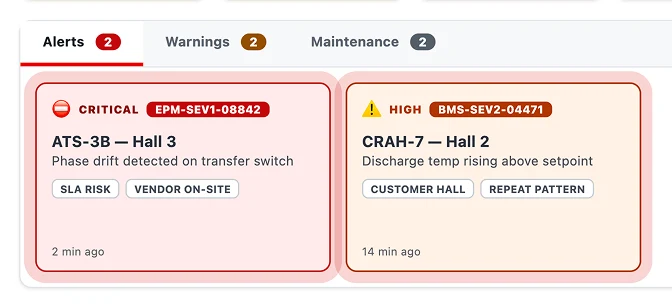
Exceptions became the primary entry point into investigation.

Exception-first view of the xScale 360 interface
Product screen

The operator starts with what requires attention, rather than scanning the entire system.

02  ·  Context beside the signal

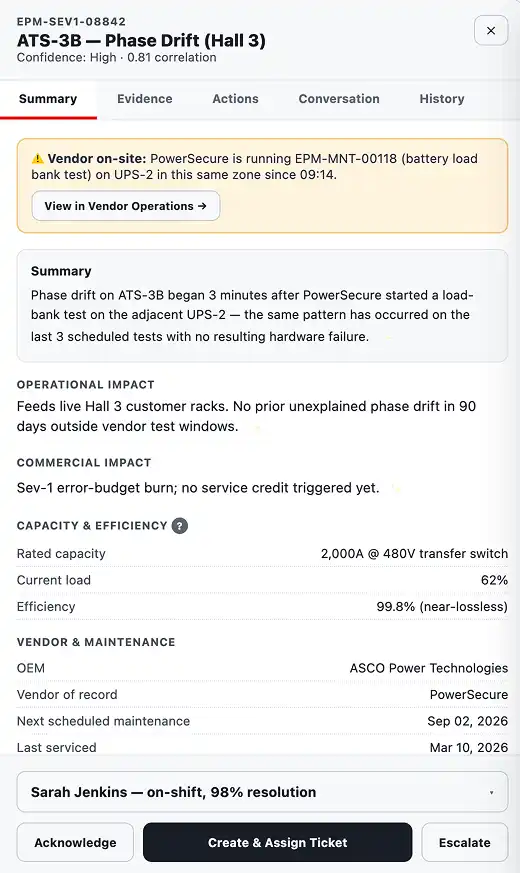
Contextual detail view of the xScale 360 interface
Product screen

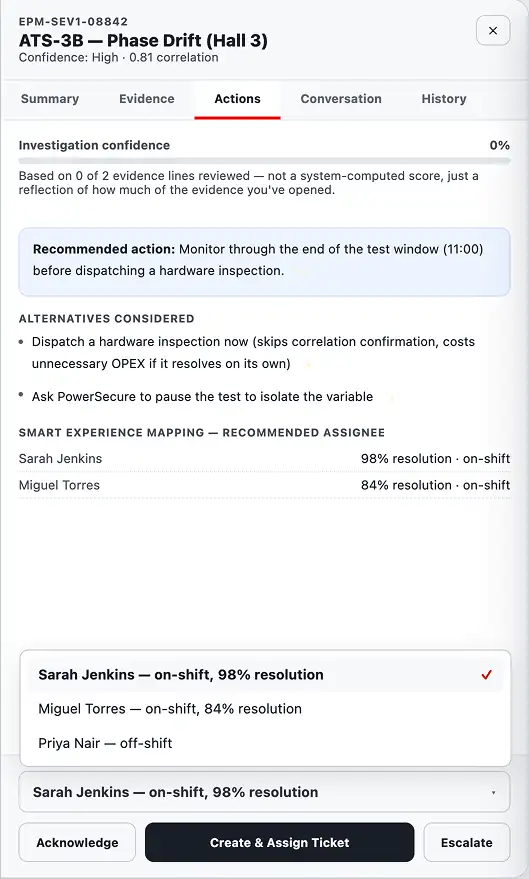
The operator can investigate without reconstructing the situation across systems.

Context beside the signal

Keep the evidence needed to understand an event close to the event itself.

The operator should not have to reconstruct the situation across multiple systems. Relevant context was brought into the investigation path.

03  ·  Progressive detail

Progressive detail

Expose more information only when the decision requires it.

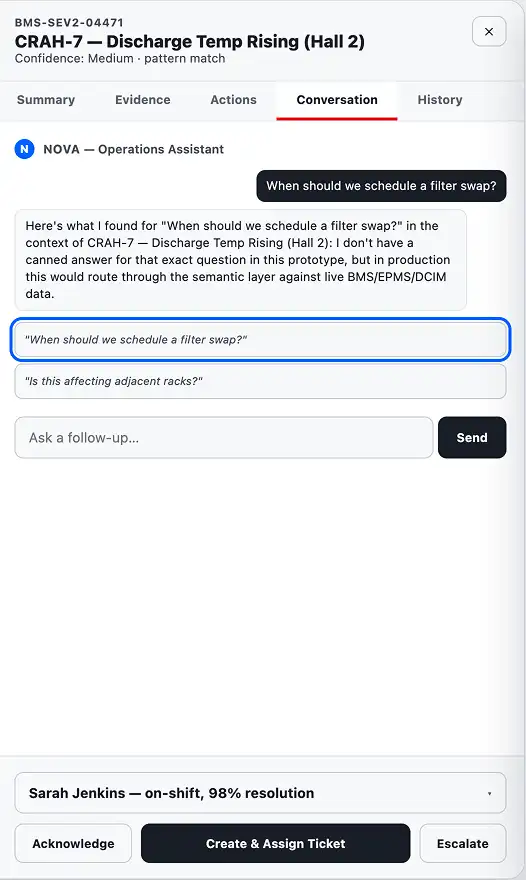
The interface showed what was needed for the current decision first, while keeping deeper operational detail available when required.

Progressive detail view of the xScale 360 interface
Product screen

Detail is introduced when it becomes relevant to the decision.

03  ·  The connected workflow

Together, the decisions created one path from signal to action.

01 · Detect
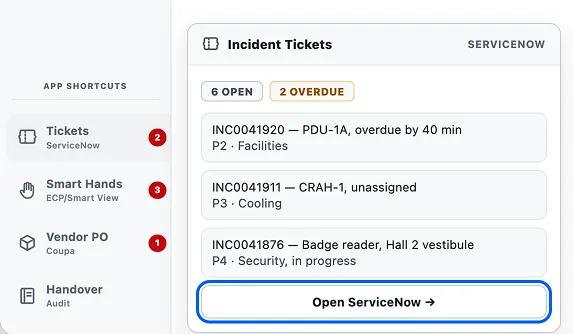
Detect screen of the xScale 360 workflow

The system surfaces what changed.

02 · Investigate
Investigate screen of the xScale 360 workflow

The Operations Lead traces the signal back to its operational context.

03 · Act
Act screen of the xScale 360 workflow

The operator has enough context to determine the next operational action.

01 Detect

Something changes.

02 Prioritise

The system identifies what requires attention.

03 Investigate

The Operations Lead explores the relevant context.

04 Understand

The interface connects the underlying information.

05 Act

The operator has enough context to determine the appropriate operational action.

The interface reduces the distance between signal and decision.

One operational view, organised around the decision.

xScale 360 core operational view
01
02
03
04
05
01Exception visibility
02Operational context
03Prioritised information
04Decision support
05Action path

04  ·  Reflection

The strongest lesson was structural, not visual.

The challenge wasn't making a complex enterprise system look simpler. It was creating a model that matched how the operator already understood the operation.

Complexity didn't disappear. It became organised around the user's decisions.

05  ·  Prototype

It runs. Have a go yourself.

A real working build rather than a clickable mockup, so everything in it actually works. Best on a laptop or larger.

xscale360 / command-centre / frankfurt-ibx-2
Try

Acknowledge the ATS-3B alarm, and watch the banner move to the next one.

Try

Open it and read the correlation. The evidence is there before you ask.

Try

Drill from the hall down to a part inside the switch.

The goal wasn't to replace the operator's judgement. It was to give that judgement a better system to work with.

System capability × human judgement